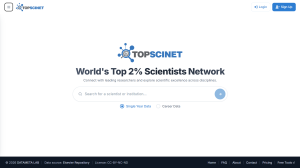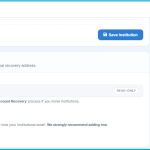

A recovery email is a secondary, personal address (Gmail, Outlook, etc.) that TOPSCINET uses only when you lose access to your institutional email. It does not replace your institutional login in daily use and does not change how you sign in; you still log in with your institutional address as usual. Most users will set this up and never touch it again, which is the best‑case scenario. If you do lose access to your institutional email after a move and can no longer receive reset links, the recovery flow becomes essential.
- If you have not set a recovery email, you cannot use the ‘Recover account’ option. In that case, start by reading this article for alternative recovery steps: https://top2percentscientists.com/set-up-a-recovery-email-for-top-2-profile/
To start recovery:
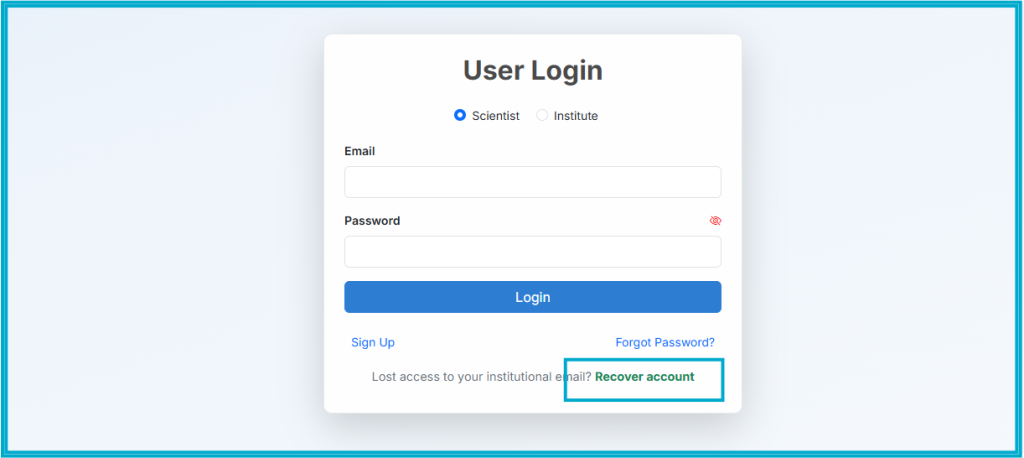
- Go to the TOPSCINET login page and click the “Recover account” link beneath the usual sign‑in options.
- Enter the recovery email you previously verified, complete the reCAPTCHA, and submit.
- A generic confirmation appears on screen, and a recovery link is sent to that email if it is on file. The on‑screen message is the same whether the address exists or not, which prevents attackers from checking which emails are registered.
From your recovery inbox:
- Click the recovery link (valid for a limited time).
- You will see a profile preview showing your name, profile picture, and current institution with a prompt asking you to confirm it is your profile.
- If it is correct, provide your new institutional email, the name of the new institution, and a new password. You can also add a short note with supporting links (new faculty page, updated LinkedIn, Google Scholar, ORCID, etc.) to help the team verify your move quickly.
After submitting:
- A verification email goes to your new institutional inbox to prove you control that address.
- Once you click that link, your request is queued for review by the TOPSCINET team, typically within 48 hours. They cross‑check your information against public academic sources and any links you supplied.
- A notification also goes to your old primary email, where possible, including a 7‑day cancel link as a safety net if someone else initiated the process without your consent.
Upon approval:
- Your primary email is updated to the new institutional address.
- Your password becomes the new one you set during recovery.
- All existing sessions are logged out to protect the account.
- Confirmation messages go to both your new primary email and the recovery email, after which you can log in normally with your updated credentials and retain your full publication history and analytics.
If You Did Not Set a Recovery Email in Time
If you have already lost institutional access and never configured a recovery email, recovery is still possible, but slower and more manual. In that case:
- Email [email protected].
- Include your full name as it appears on your profile, the previous institution, your new institutional email, and links that confirm your identity (faculty page, Google Scholar, LinkedIn, ORCID, etc.), along with a short explanation of your move.
- The support team will manually verify the match between your old profile and your new identity before updating your account, which can take several days.
Searchable Database for Top 2% Scientists
Visit TOPSCINET.com
If your name appears in the search results, claim your profile using your institutional email to update your social media links and enhance your online presence.