
If you decide you no longer want to actively use TOPSCINET, you can deactivate your account in a few easy steps. This guide explains how to do it, what really gets removed, and what stays online because it comes from the public Stanford/Elsevier Top 2% Scientists data.
How to Deactivate Your TOPSCINET Account
If you no longer want to actively use TOPSCINET, you can deactivate your account in a few simple steps.
Step 1 – Log in
- Go to the TOPSCINET website and log in to your account.
Step 2 – Open Settings
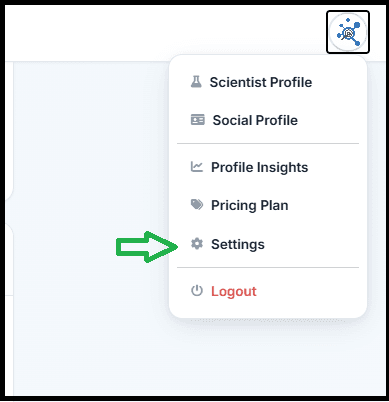
- Click your profile picture in the top‑right corner.
- From the menu, choose Settings.
- This takes you to the page where you can manage your subscription and account status.
Step 3 – Check your subscription
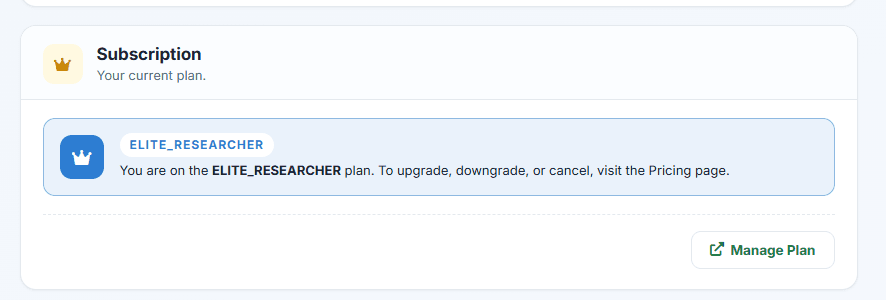
- In Subscription, see if you are on a paid plan (for example, ELITE_RESEARCHER) and cancel it first so it doesn’t auto‑renew.
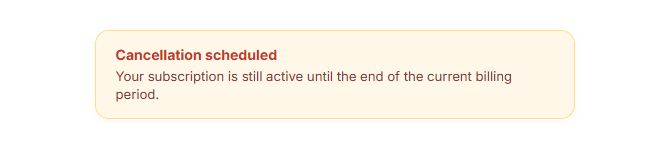
- If you see “Cancellation scheduled”, your plan is still active until the end of the current billing period, but it will not auto-renew.
Step 4 – Go to “Danger Zone” and deactivate
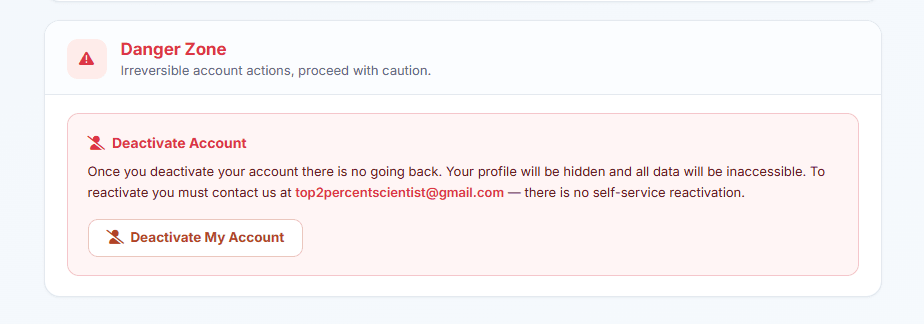
- Scroll to the bottom of the Settings page to find the Danger Zone.
- Click Deactivate My Account and confirm.
After this, all custom edits you added are removed from public view:
- Profile photo
- Extra/secondary affiliations
- Social links and external scholarly links
- Custom bio and other profile text
Your blue verification tick is revoked and becomes a gray tick (no active owner).
What still stays online
Because TOPSCINET is built on the public Stanford/Elsevier Top 2% Scientists spreadsheets, your core ranking data remains in the directory even after deactivation:
- Name (as in the dataset)
- Main institutional affiliation and country
- Citation metrics (C‑score, Career Data, Single Year Data)
Deactivation stops you from managing and personalising your profile, but it does not delete the underlying public Top 2% scientist record.
Searchable Database for Top 2% Scientists
Visit TOPSCINET.com
If your name appears in the search results, claim your profile using your institutional email to update your social media links and enhance your online presence.