
If you don’t want visitors to see how many times your TOPSCINET profile has been viewed, you can hide the view count with a simple toggle. Here’s a short guide.
Step 1 – Subscribe to Elite Researcher
The Hide view count feature is part of the Elite Researcher plan for scientists who have claimed their Top 2% profile.
- Go to the pricing page:
https://topscinet.com/pricing_table/ - Subscribe to the Elite Researcher plan (not the Researcher Connect plan).
Once your subscription is active, you’ll see extra options like Profile Insights on your account menu.
Step 2 – Open “Profile Insights
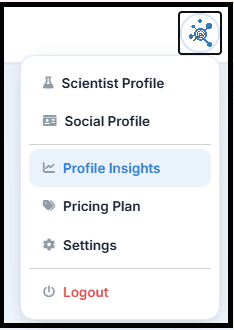
- Log in to TOPSCINET and click your profile picture in the top‑right corner.
- From the dropdown menu, select Profile Insights.
On this page, you’ll see charts and totals for Authenticated and Anonymous viewers, with data available from May 8th, 2026 onwards.
Step 3 – Toggle “Hide view count” on
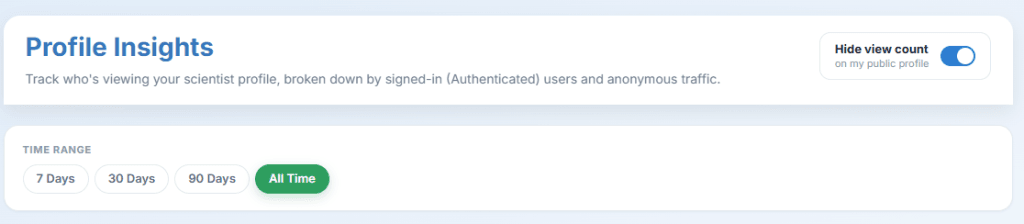
At the top of the Profile Insights page, you’ll find a switch labeled “Hide view count on my public profile”.
- Slide the toggle ON to hide your view count from visitors.
- You will still see your own views and analytics inside Profile Insights, but the number of views will no longer appear on your public profile page.
That’s it—three quick steps and your Top 2% profile keeps its analytics for you while hiding the view count from everyone else.
Searchable Database for Top 2% Scientists
Visit TOPSCINET.com
If your name appears in the search results, claim your profile using your institutional email to update your social media links and enhance your online presence.