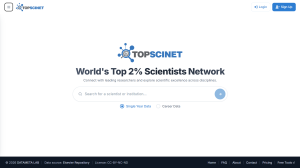
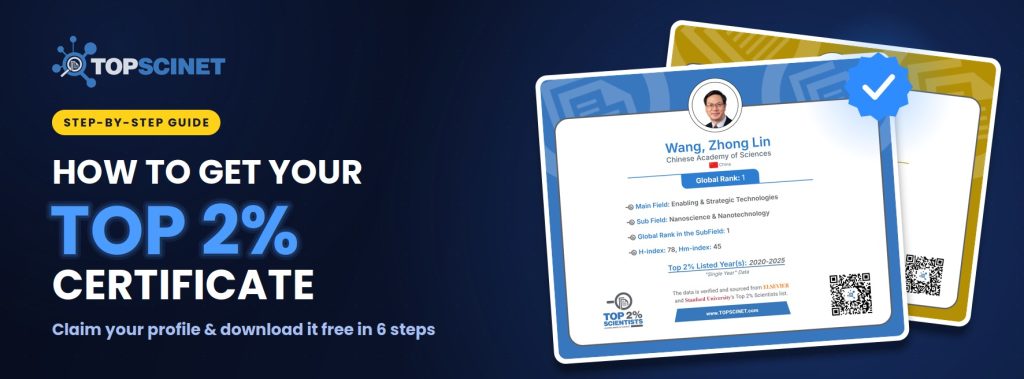

If you’re on the World’s Top 2% Scientists list, you can download an official certificate from TOPSCINET for free. It shows your global rank, your field and subfield, your h-index, and the years you’ve been listed. It takes a few minutes to set up, and it’s ready to share on LinkedIn, your lab website, or your CV.
Prefer to watch? [Watch the video tutorial]
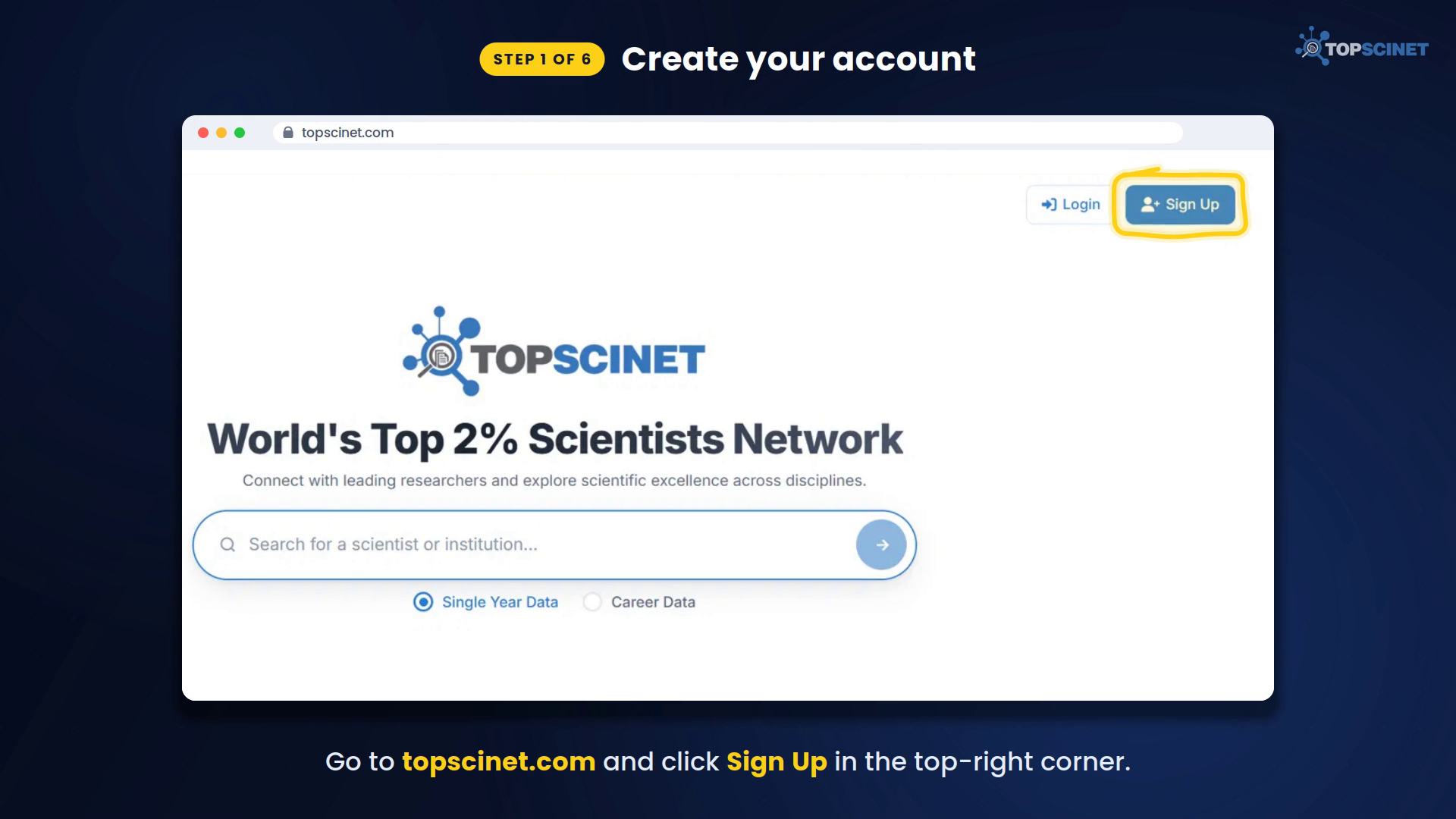
Step 1: Create your account
Go to topscinet.com and click Sign Up in the top-right corner.
Register with your institutional email address, meaning your university or research institute email. Personal addresses like Gmail, Hotmail or Yahoo can’t be used to claim a profile. This rule stops people from claiming profiles that aren’t theirs. Fill in your name, institute and password, then click Create my researcher account.
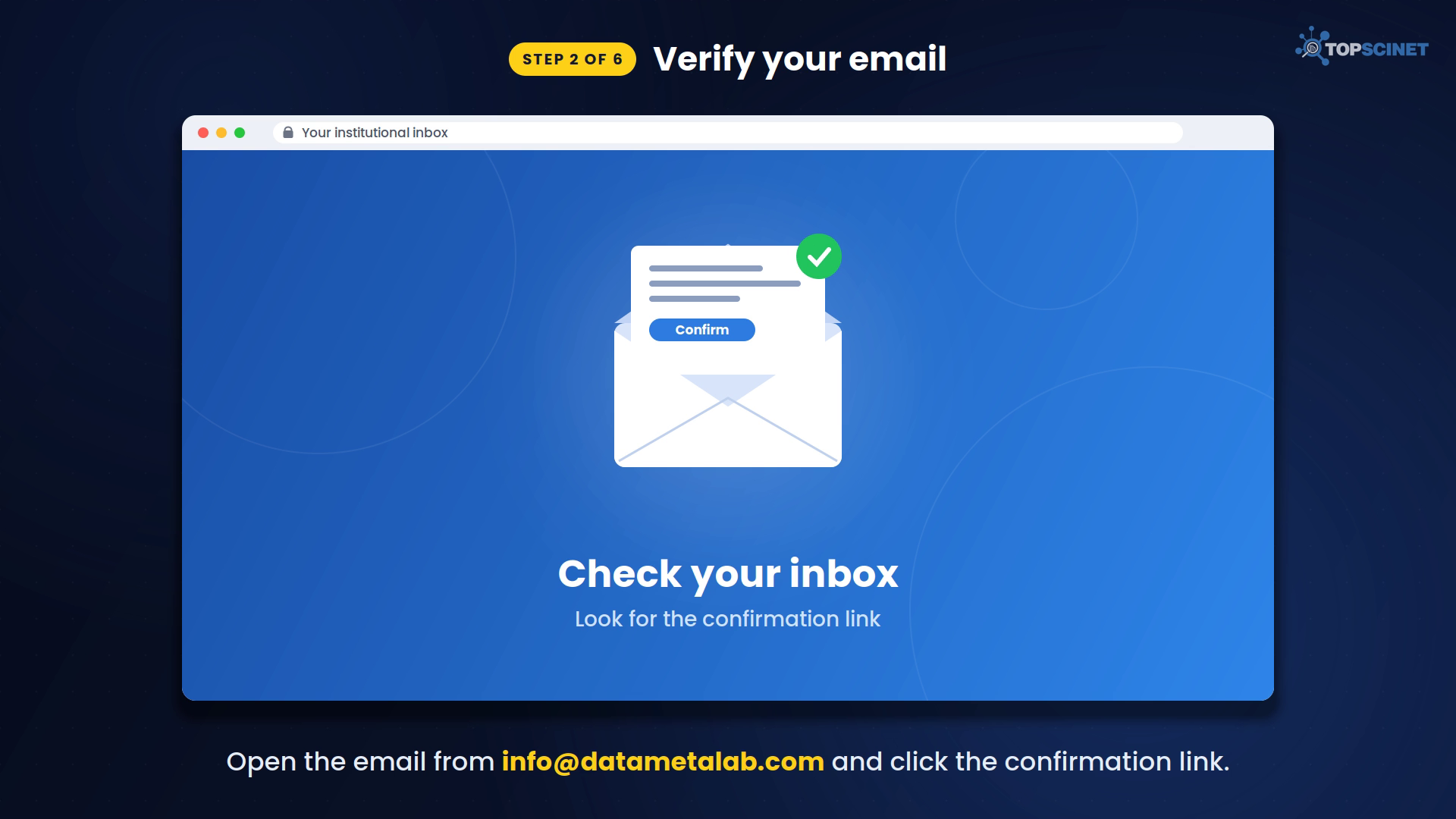
Step 2: Verify your email
Check your institutional inbox for a confirmation email from [email protected] and click the link inside. If you don’t see it within a few minutes, check your spam or junk folder.
Then return to topscinet.com and click Login.
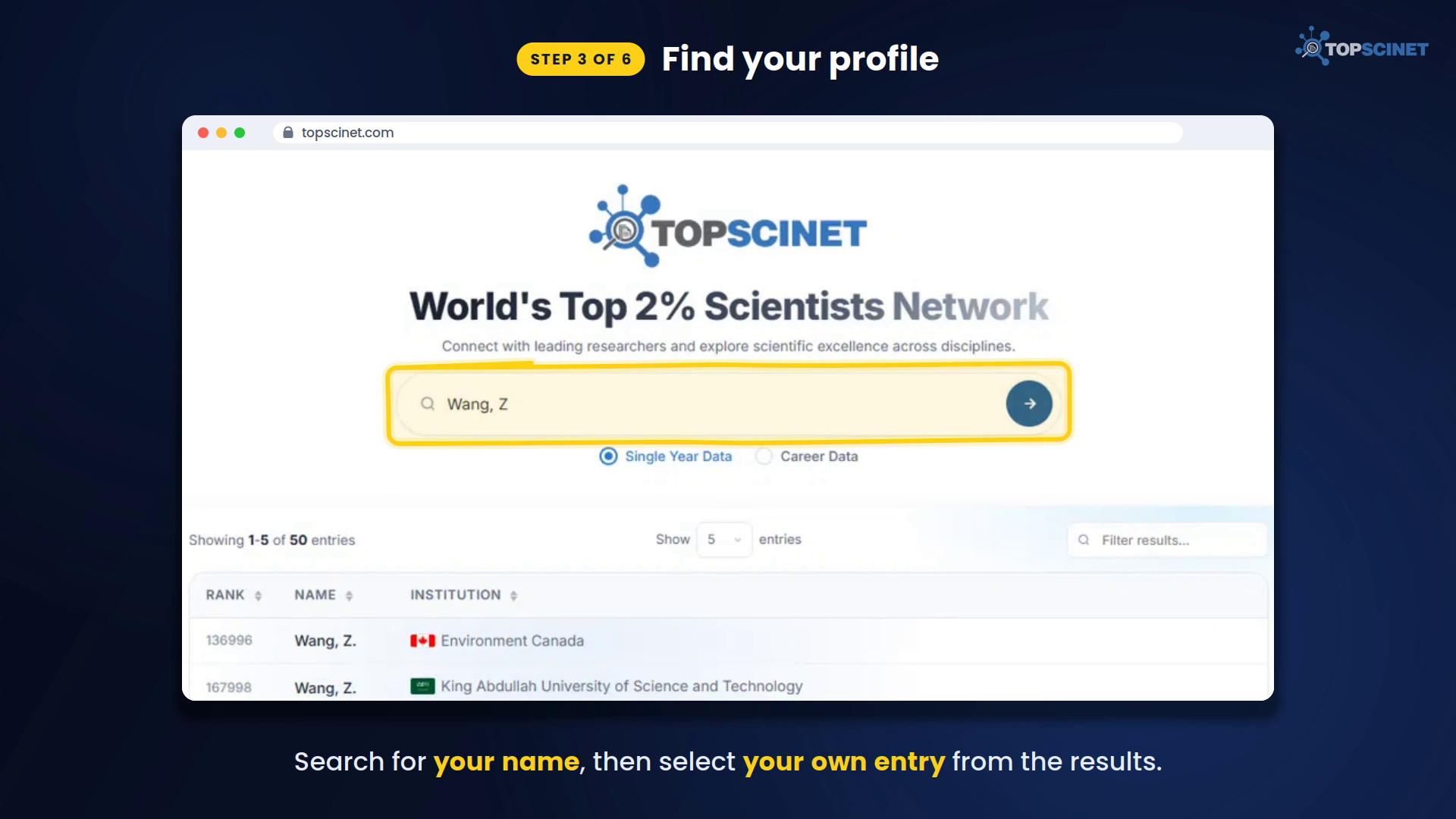
Step 3: Find your profile
Type your name into the search bar on the homepage, for example “Wang, Z”. Choose your own entry from the results; the institution column helps you tell apart researchers with similar names.
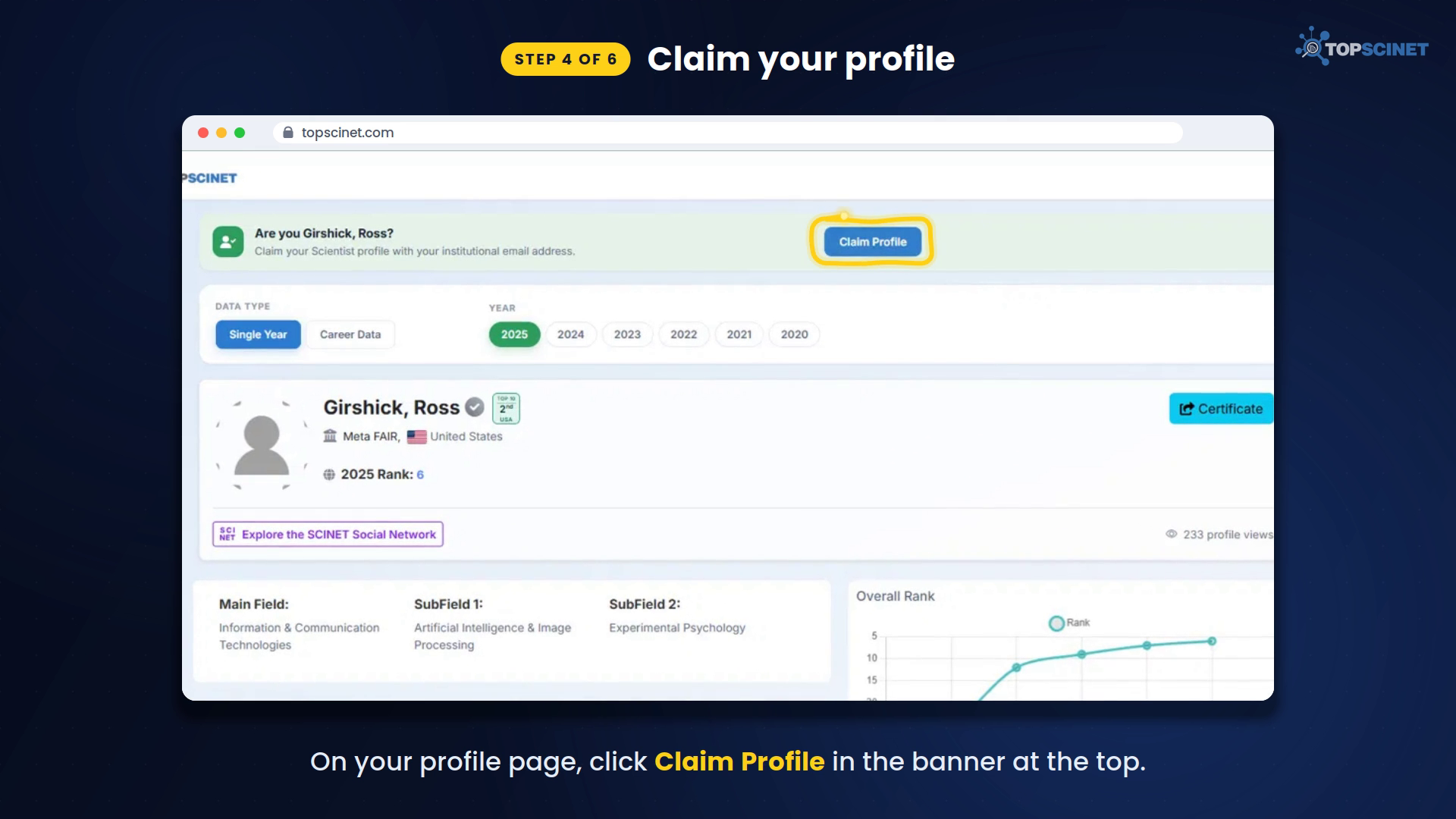
Step 4: Claim your profile
On your profile page, click Claim Profile in the banner at the top (“Are you [Your Name]?”).
Our team checks every claim by hand to make sure the right person gets each profile, so approval can take a little time. You’ll be able to manage the profile once your claim is approved.
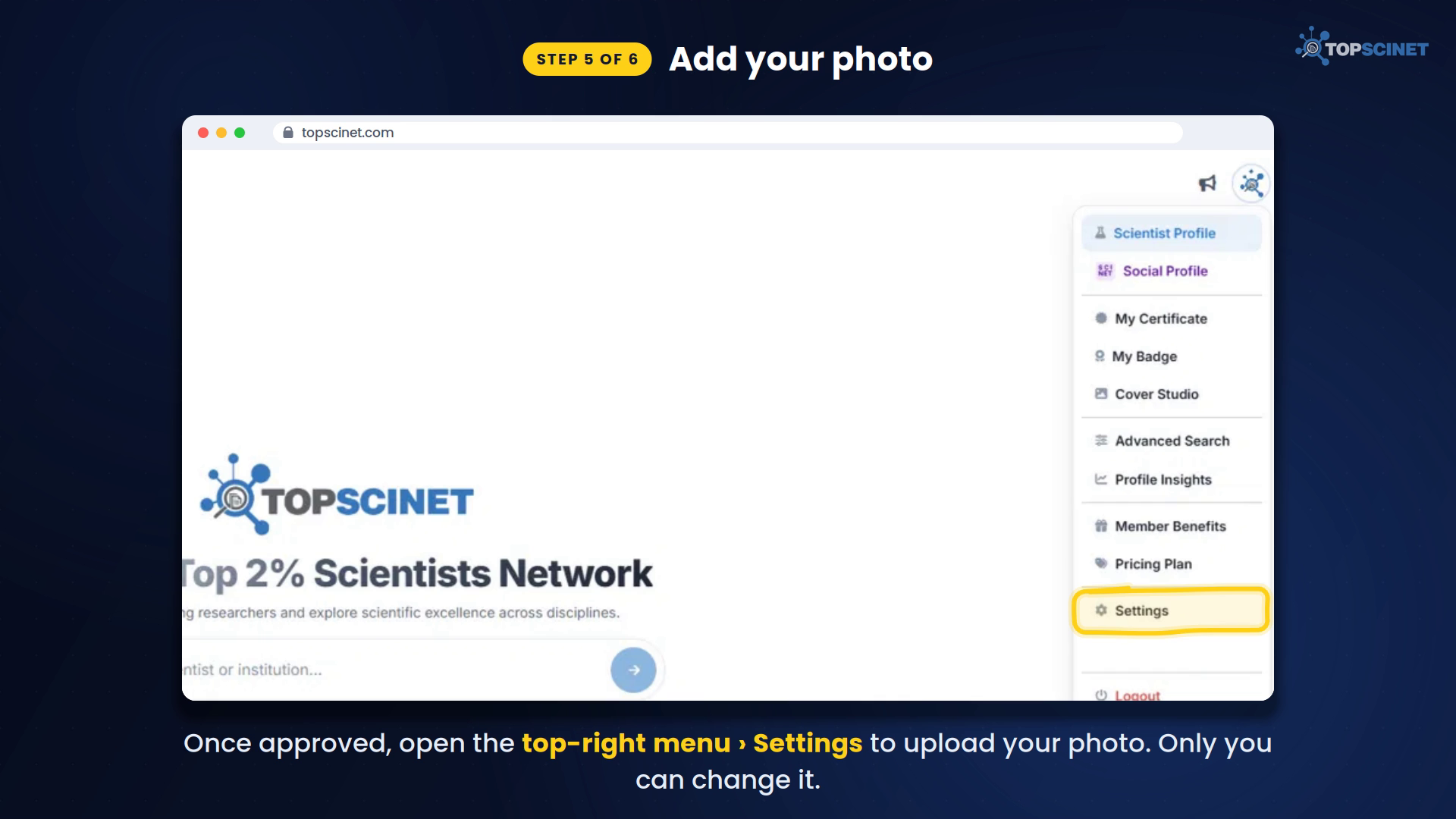
Step 5: Add your photo
Once your claim is approved, open the menu in the top-right corner and go to Settings to upload your profile picture. Your photo appears on your certificate. Only you, as the verified owner, can change it.
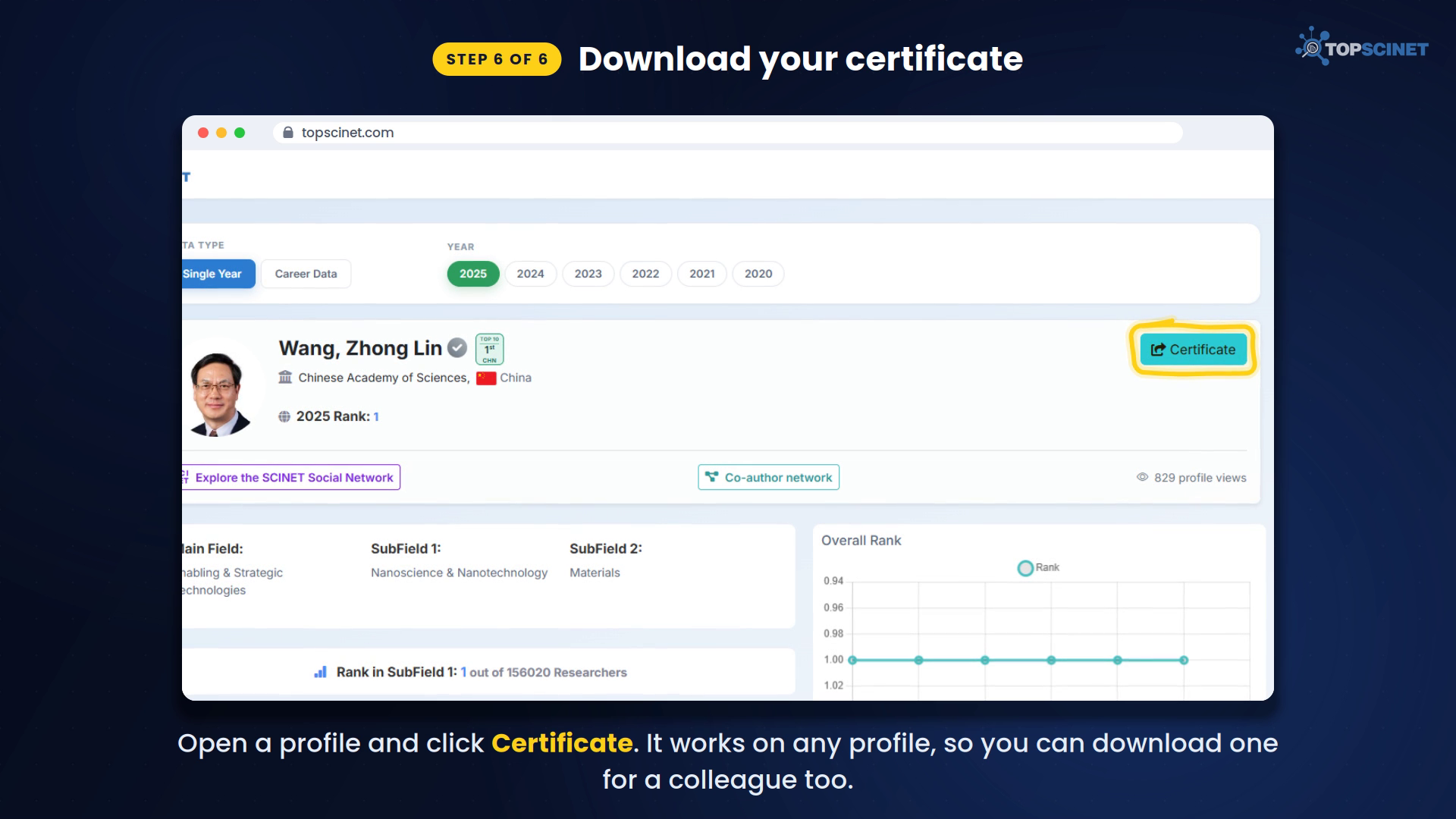
Step 6: Download your certificate
Open the profile and click the blue Certificate button. After you’ve claimed your profile, you can also find it any time under My Certificate in the top-right menu.
Certificates come in two versions:
- Single Year: based on the most recent year’s citation data.
- Career-long: based on citations across your whole career.
Tip: the Certificate button works on any scientist’s profile, so you can also download one for a colleague or co-author and congratulate them.
Frequently asked questions
Is the certificate free?
Yes. Creating an account, claiming your profile and downloading your certificate are all free.
Why do I need an institutional email?
It confirms you’re a real researcher at a real institution and prevents false claims on other people’s profiles.
I can’t find my confirmation email. What should I do?
Check your spam or junk folder, and make sure the email is from [email protected].
Can I change the photo on my certificate?
Yes, once your profile claim is approved. Upload a new photo in Settings.
Where does the data come from?
The rankings are based on the Top 2% Scientists data published through the Elsevier Data Repository, which is based on work by Stanford University researchers.
Ready to get yours? Claim your profile on topscinet.com →
For additional help, watch this tutorial video on YOUTUBE: How to Get your Top 2% Scientist certificate (2026).
Searchable Database for Top 2% Scientists
Visit TOPSCINET.com
If your name appears in the search results, claim your profile using your institutional email to update your social media links and enhance your online presence.