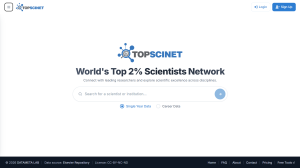

We are happy to share a new Chrome extension titled “TOPSCINET: Top 2% Scientist Badge”, that Shows a TOPSCINET badge on Google Scholar profiles of researchers in the global Top 2% Scientists list.
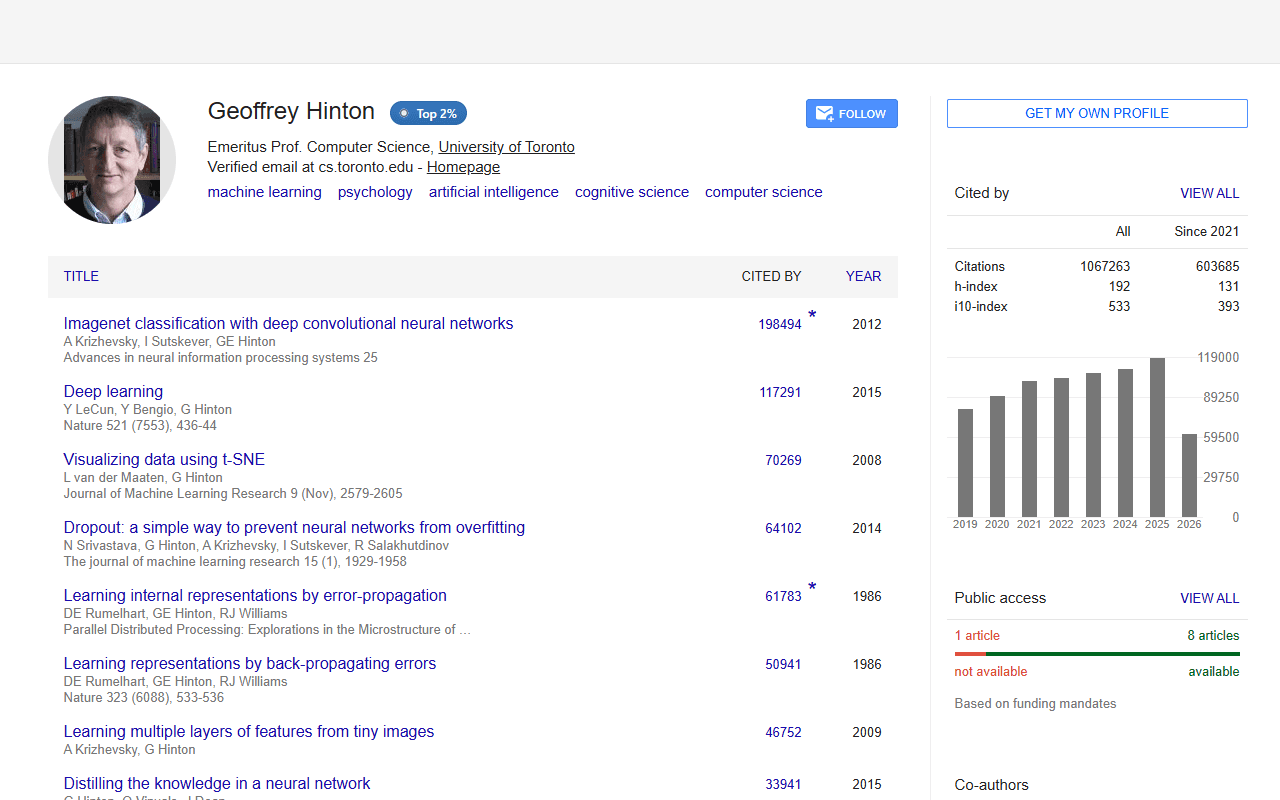
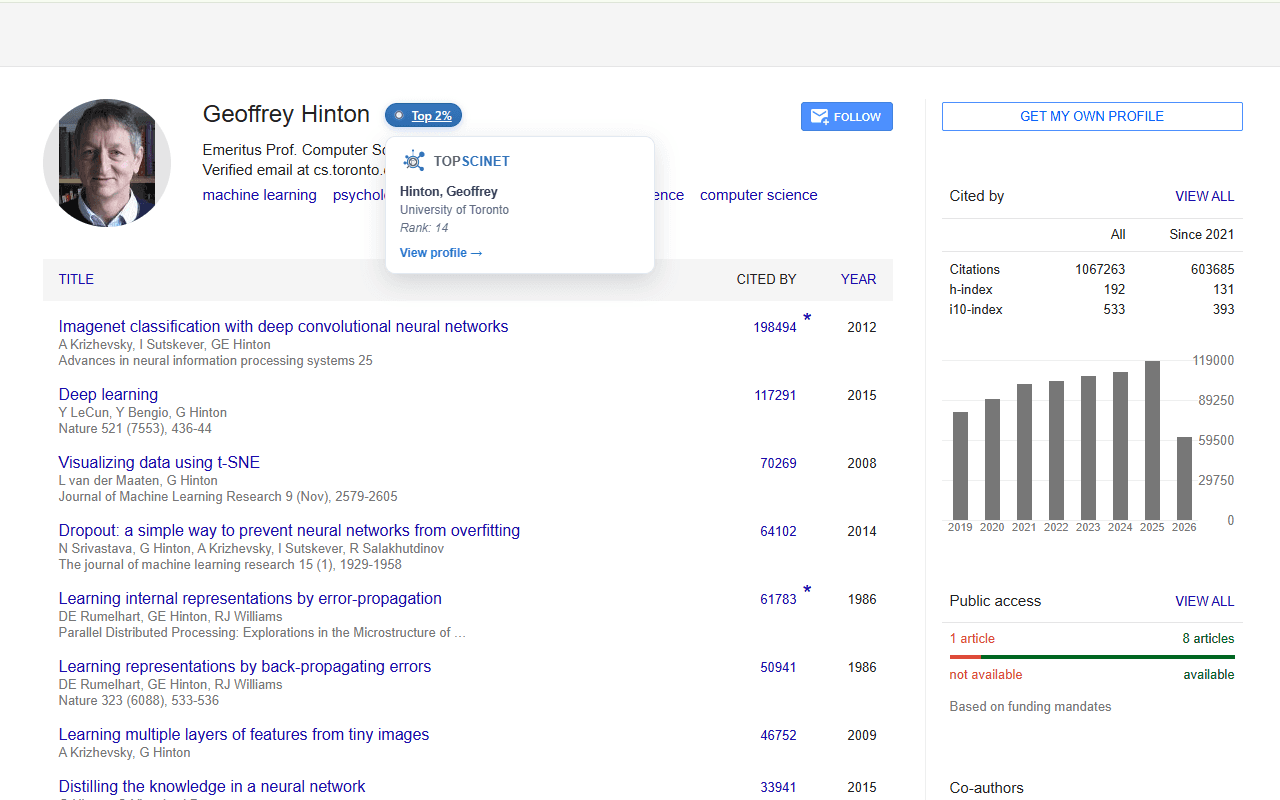
TOPSCINET shows a small badge next to a researcher’s name on their Google Scholar profile if they appear in the Top 2% Scientists list, one of the most widely cited measures of research impact worldwide.
How To Install
To install a Chrome extension, open the Chrome Web Store, search “TOPSCINET” or “Top 2%” or “Top 2% Scientist Badge” or “TOPSCINET: Top 2% Scientist Badge” in the extensions search bar, and choose Add to Chrome. Chrome may ask for permission before the extension is added, so it is important to only install extensions you trust

HOW IT WORKS
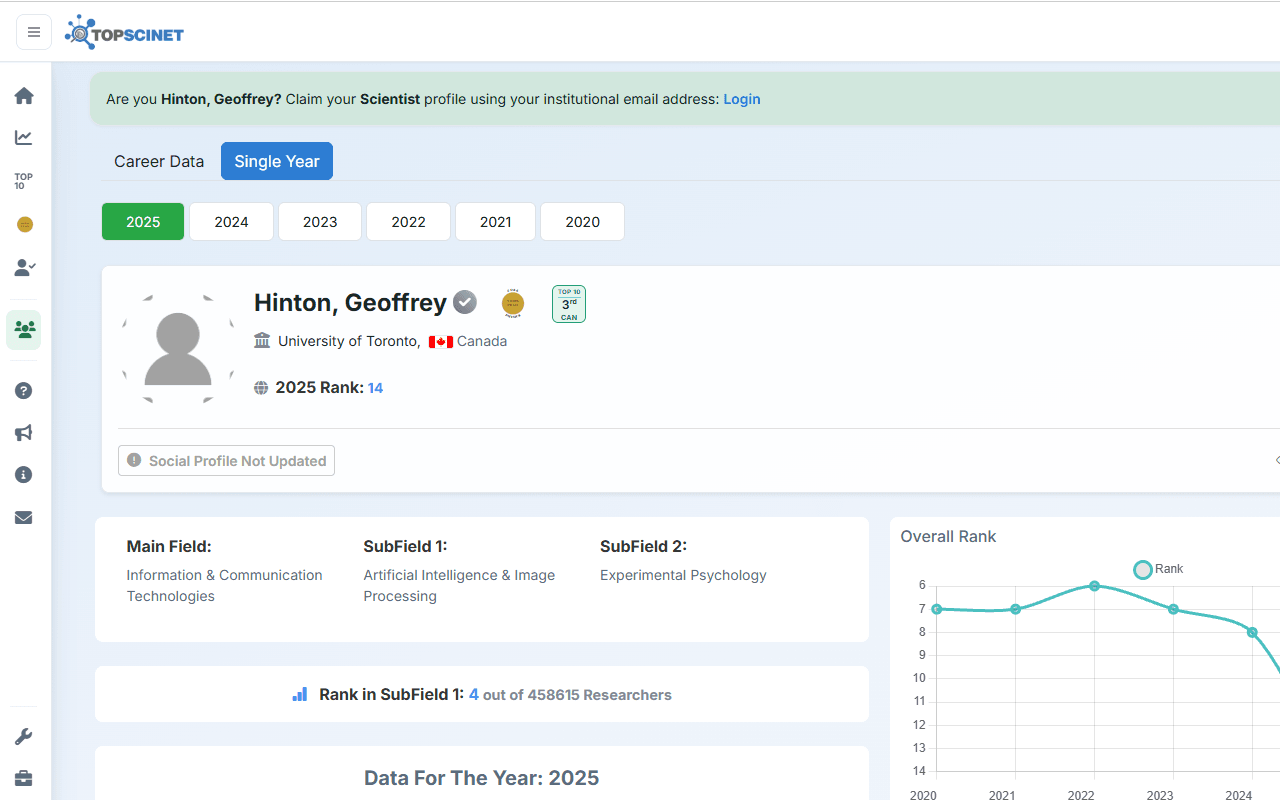
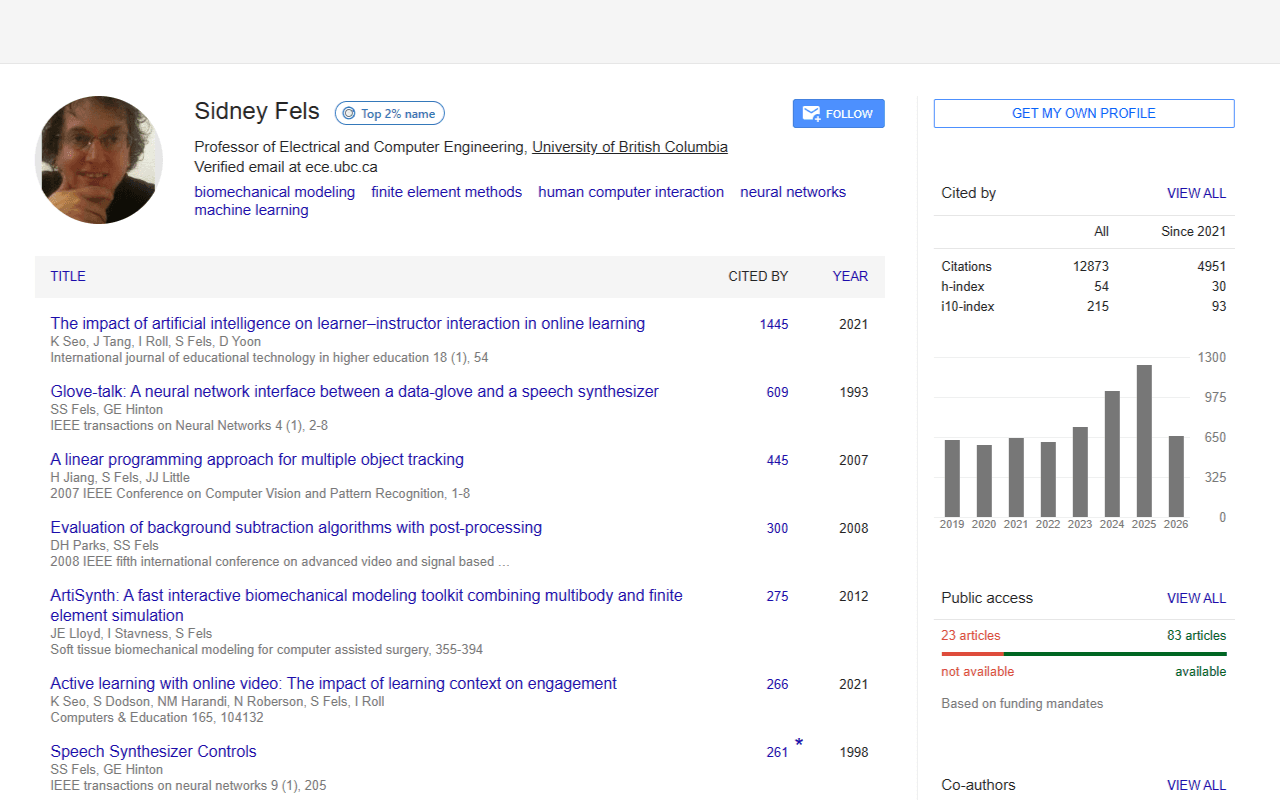
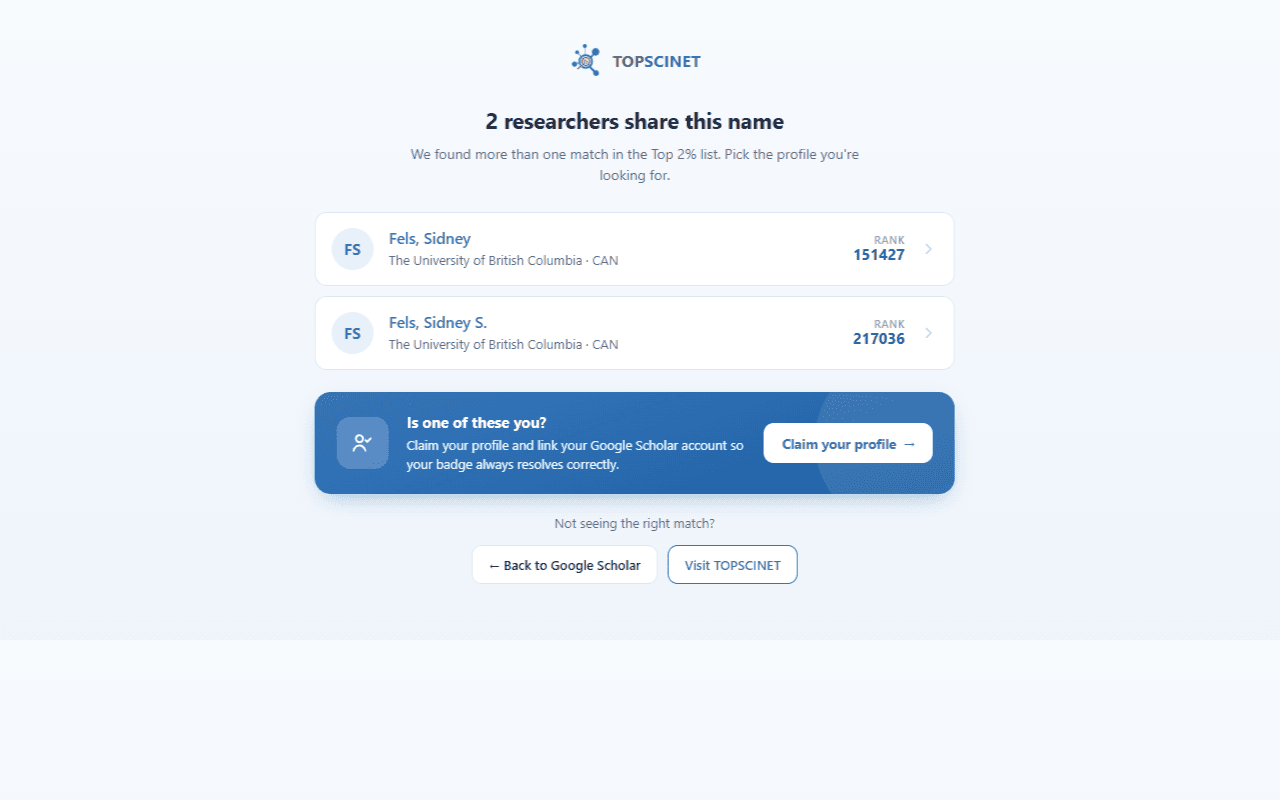
Visit any Google Scholar profile. If the researcher is in the Top 2% list, a badge appears next to their name. A solid badge means we found exactly one matching researcher. Click it, or hover for a quick summary of their institution and rank, to go straight to their TOPSCINET profile. An outlined “Top 2% name” badge means the name matches more than one researcher in the list. Click it to see all matches and pick the right one.
WHY USE IT
Quickly check whether a co-author, reviewer, collaborator, or job candidate is recognized in the Top 2% rankings, without leaving Google Scholar.
PRIVACY
This extension works by comparing the name shown on the current Scholar page against a ranking list downloaded once to your device. It does not track you, does not use analytics or ads, and does not collect personal data.
Full privacy policy:
Privacy Policy: Top 2% Scientist Badge
ABOUT TOPSCINET
TOPSCINET (topscinet.com) is a free platform for exploring global Top 2% Scientist rankings. Search by name, institution, or country, and claim your profile if you’re on the list. TOPSCINET is a product of DATAMETA LAB (datametalab.com).
Questions or feedback: [email protected]
Searchable Database for Top 2% Scientists
Visit TOPSCINET.com
If your name appears in the search results, claim your profile using your institutional email to update your social media links and enhance your online presence.