


Did you sign up as an Institute account by mistake, but you actually wanted your own researcher profile from the Top 2% Scientists list? Here’s how to switch, in simple steps.
Before You Start
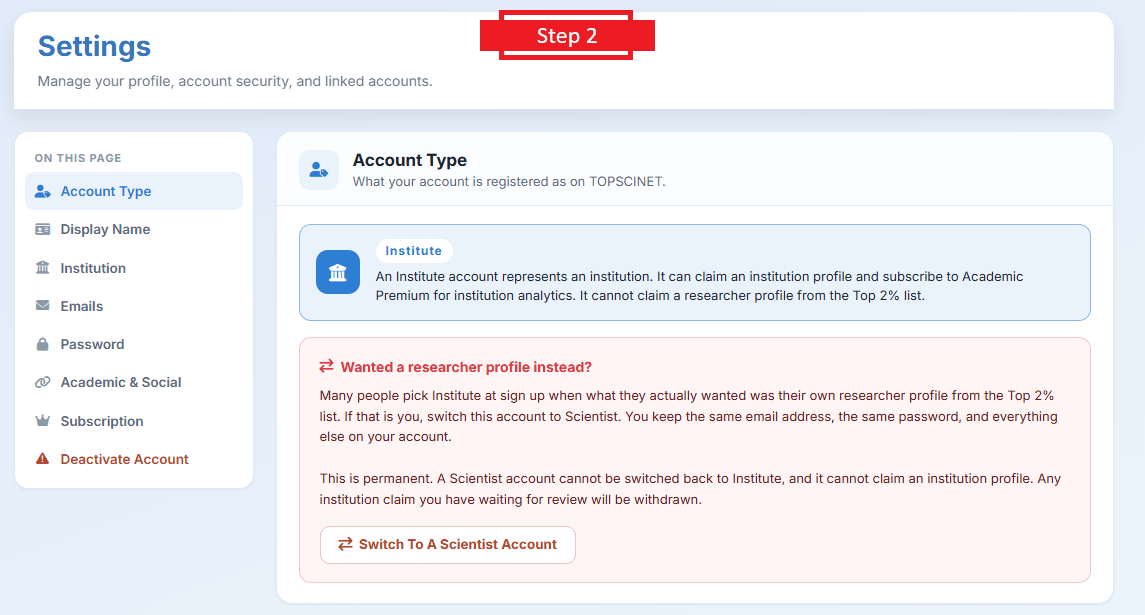
This change is permanent. Please read this first:
- You cannot switch back from Scientist to Institute.
- A Scientist account cannot claim an institution profile.
- Any institution claim you have waiting for review will be withdrawn.
If you’re sure, follow the steps below.
Step-by-Step Instructions
- Click your user profile icon (top right corner), then click Settings.
- On the Settings page, find Account Type and click Switch To A Scientist Account.
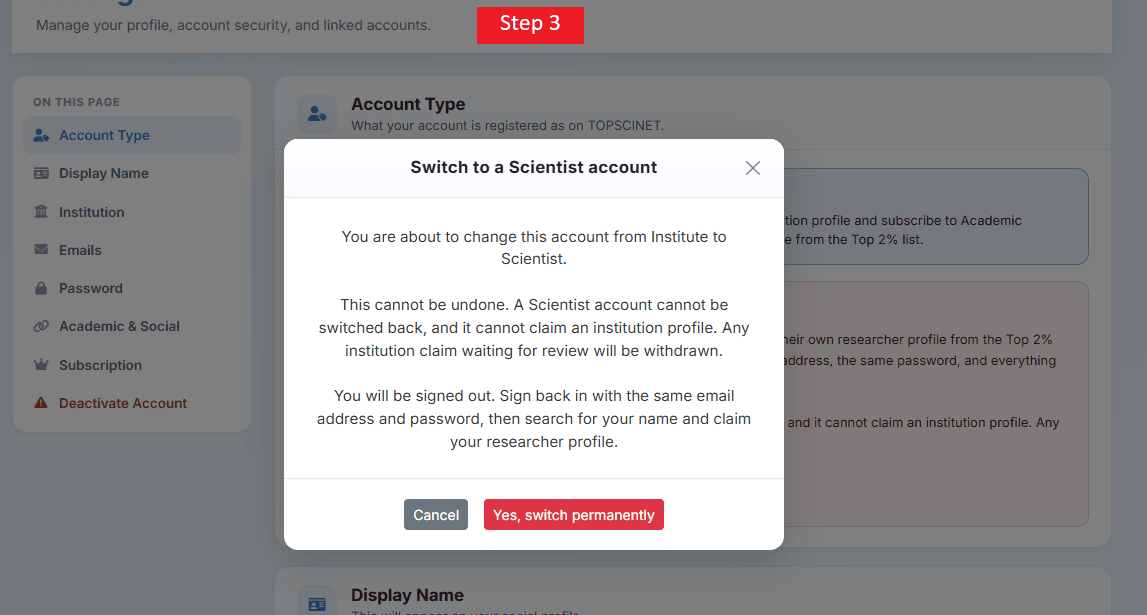
- A confirmation box will appear. Click Yes, switch permanently.
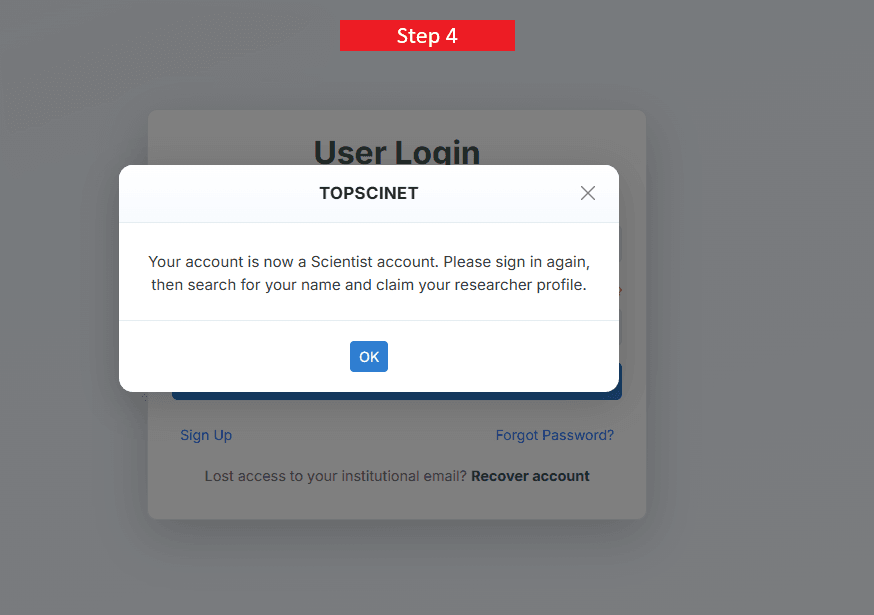
- You will be logged out automatically and get a confirmation email.
- Sign in again using the same email and password as before.
- On the homepage, search for your name.
- Find your name on the Top 2% list and click claim your researcher profile.
What Happens Next
Your claim goes to the TOPSCINET team for review. They usually respond within 48 hours.
Searchable Database for Top 2% Scientists
Visit TOPSCINET.com
If your name appears in the search results, claim your profile using your institutional email to update your social media links and enhance your online presence.

Veterinary medicine
I want my own researcher profile from the Top 2% scientists list.
This might be your profile: https://topscinet.com/scientist_profile/Mohanty,%20Kanungo%20Barada/2000/?stype=single_year
Read instructions here to claim it: https://top2percentscientists.com/claim-your-top-2-scientists-profile-on-topscinet-2025/
Hello,
I did not find my name when I searched in the list of top2percentscientists.
It is an automatic selection process. The selection process is based on specific criteria and methodologies (not only citations). For a comprehensive understanding of the methodology and selection criteria, please refer to this article:https://top2percentscientists.com/methodology-and-selection-criteria-of-top-2-scientists-list/
Even though I have morethan 120 publications and 1000s+ citations my name is not in list. What is the reason
It is an automatic selection process. The selection process is based on specific criteria and methodologies (not only citations). For a comprehensive understanding of the methodology and selection criteria, please refer to this article:https://top2percentscientists.com/methodology-and-selection-criteria-of-top-2-scientists-list/